Digital learning

BYJU’S-style Guided Learning — Custom-Built for Your Market

Structured school-learning subscription with lessons, practice, and guardian visibility. Planned for education providers serving school-age learners and their families with role-specific workflows, operator controls, integrations, and a handover boundary defined for the selected market.

See product screens and demo access

Custom workflows

Brand-safe product strategy

Admin and operations tooling

Reference walkthrough by arrangement

Review lesson paths, practice feedback and guardian visibility before planning a guided-learning product.

Use this original learning-library concept to scope curriculum, assessment and family controls. It is not BYJU’S UI or proof of outcomes, educators, curriculum licensing or child-safety compliance.

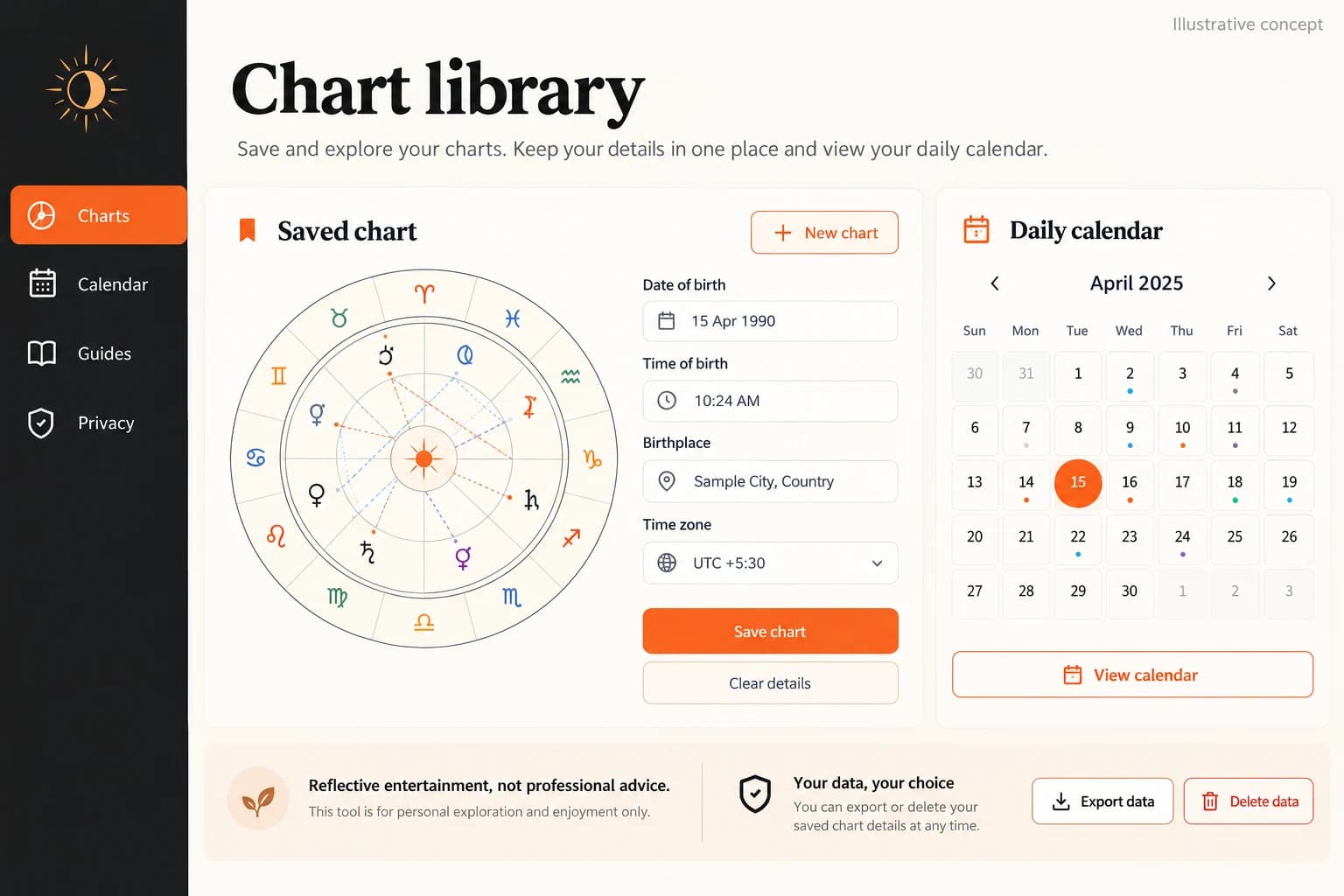
Original illustrative learning library concept with lesson paths and progress controls

Original illustrative learning library concept with lesson paths and progress controls

Original App Clone Labs learning-library concept at 1536×1024. Sample cards, progress and controls are illustrative and do not establish curriculum quality, learning outcomes, tutoring availability or platform affiliation.

What to check in the walkthrough

  • Learner path: How are lessons, practice sets, accessibility needs and mastery states mapped to a curriculum?
  • Guardian visibility: Which progress, consent and communication controls are available without exposing unnecessary learner data?
  • Feedback quality: How are review, escalation and educator overrides handled without presenting automation as a guaranteed learning result?
Open full-size reference

Solution reference register

01 / Reference and IP

This page references third-party product names only to describe familiar product models and planning references. App Clone Labs is not affiliated with or endorsed by those brands. Build decisions require independent legal, regulatory, and operational review for your market.

02 / Artifact status

Boards, diagrams, screens and workflow descriptions on this page are illustrative planning artifacts, not evidence of a deployed client product.

03 / Regulatory caveat

Review education marketing, accessibility, and credential wording · Protect learner records and apply minor-safety controls where relevant · Track course rights, plagiarism reports, and content takedowns · Obtain appropriate guardian authorization for child accounts · Do not present automated feedback as a guaranteed learning outcome

04 / Rights and handover

Source access, licensing, repositories, environments, documentation, acceptance and handover are defined by the signed contract and accepted scope.

Scope

Operating model defined

Roles, workflows, dependencies, exclusions, and assumptions are made reviewable.

Evidence: illustrative

System

Applications connected

Experience, operations, services, data, integrations, and release controls are planned together.

Evidence: illustrative

Handover

Rights stated in writing

Access, assignment, licensing, dependencies, documentation, and support follow the signed agreement.

Evidence: illustrative

Artifact register

Product screens and planning references.

Reference screens illustrate workflows, not a contracted feature list. Sample prices, data, and responses are demonstration content; confirm the current scope during a walkthrough.

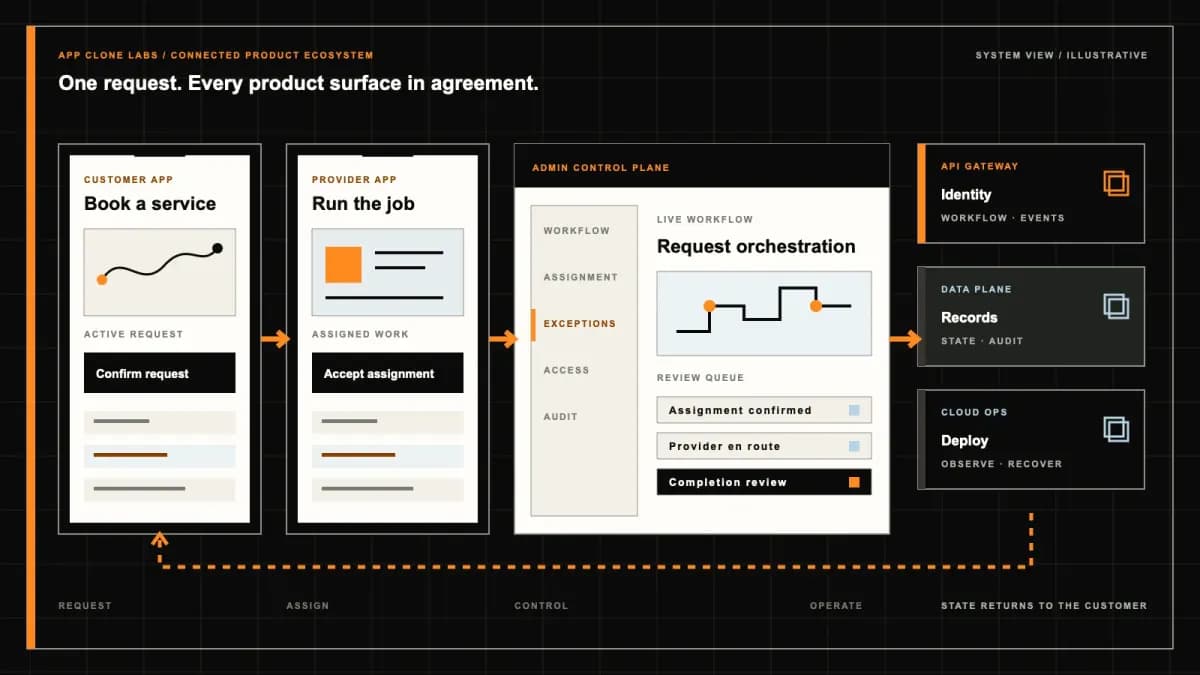
BYJU’S-style Guided Learning connected product workflow planning visual
Connected customer, operations, and data workflowEvidence: illustrativeOpen full-size reference
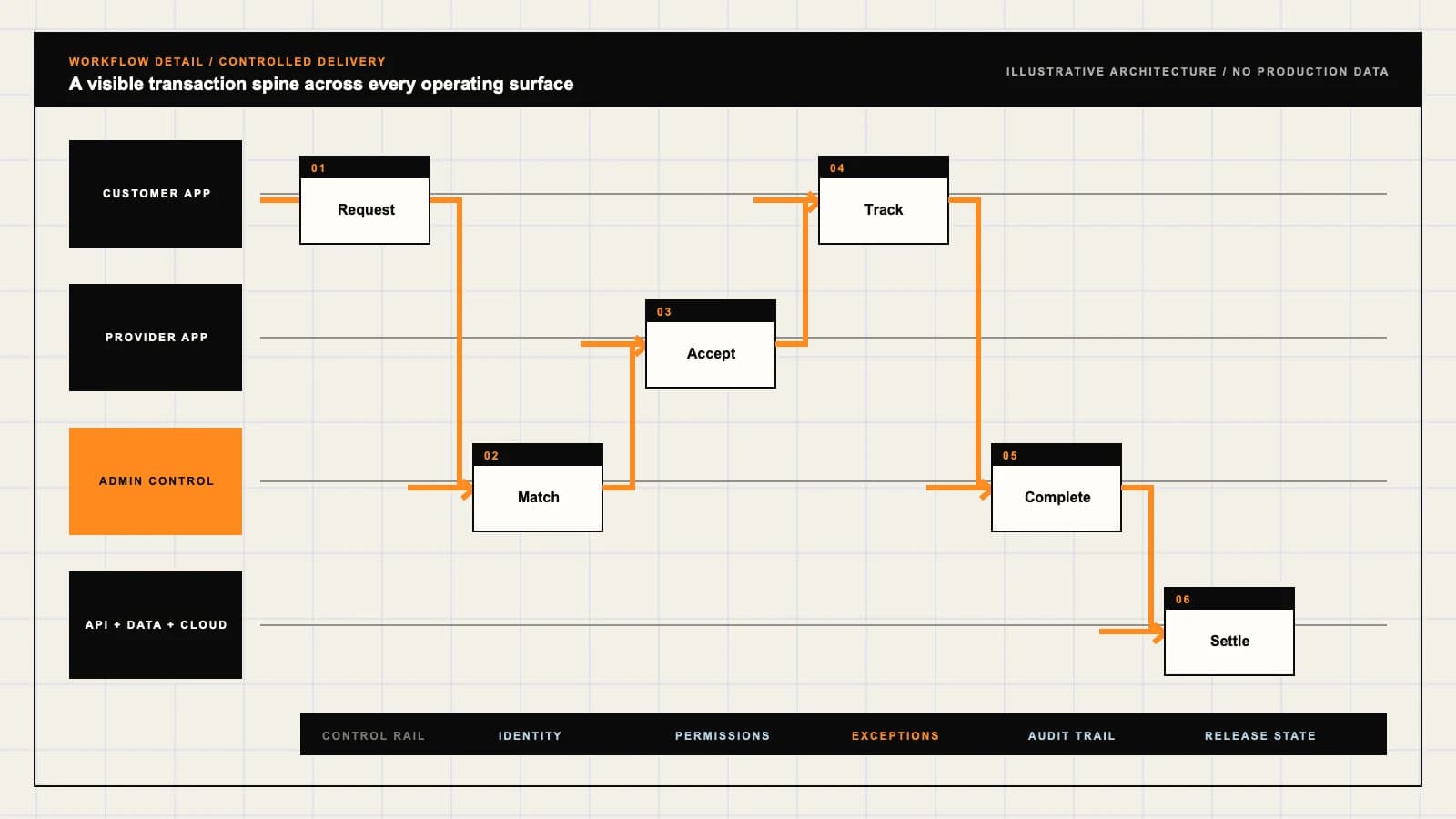
BYJU’S-style Guided Learning product engineering ecosystem visual
Product engineering ecosystem and handover boundaryEvidence: illustrativeOpen full-size reference

A finished lesson is not evidence of mastery

A learner watches a fractions lesson to the end, then adds one-half and one-third as two-fifths. The playback record says complete; the answer shows a concept that needs another explanation. A guided learning product must preserve both facts and give the learner a useful next task, rather than converting minutes watched into a claim of understanding.

BYJU’S-style development describes an independently branded school-learning environment for lessons, practice, educator feedback and guardian visibility. It does not include BYJU’S affiliation, proprietary teaching material, tutors or curriculum licences. The buyer needs to define who teaches, what is taught and which evidence supports a progress decision.

The FTC: Complying with COPPA FAQs is a primary reference for reviewing child-data responsibilities in a US launch. The applicable age, consent method, purposes and retention need qualified review for the actual service and markets; a parent dashboard does not establish compliance.

The W3C WAI: Understanding prerecorded captions explains captions for prerecorded synchronized media. Use it when specifying lesson accessibility, alongside testing of equations, controls and practice activities with the intended learners.

Choose a curriculum before building the lesson library

Start with a grade, subject, curriculum edition and language. Map each lesson to an objective and its prerequisites: equivalent fractions should have a different purpose from adding fractions with unlike denominators. Record the curriculum reviewer and the date a mapping was approved so a catalog update does not quietly change the meaning of a learner’s previous work.

Confirm ownership or licences for videos, diagrams, worksheets and question banks. Decide how corrections reach enrolled learners and whether an older assessment remains available for review. Course count is a poor scope measure when every added grade also requires lesson maintenance, answer-key review and support for confused learners.

For independent adult instructors selling courses, compare the Udemy-style course marketplace. A school-learning product instead needs curriculum review, child account controls and a defined responsibility for feedback.

Give learners, guardians and tutors different authority

The learner needs a comprehensible study path and feedback on their work. The guardian needs appropriate visibility, account permissions and control over purchases. The assigned tutor needs the relevant attempts and homework, not unrestricted access to every family’s records. Specify these boundaries before designing a single dashboard for all three roles.

Test account switching on a shared family device. A sibling must not inherit another learner’s assignment, a tutor should lose access after reassignment and a guardian relationship needs a reviewed recovery process. Separate permissions for content authors, support staff and educators; fixing an answer key does not require opening a child’s private session notes.

Make child privacy part of enrollment and withdrawal

Ask which age groups and launch jurisdictions the service serves, which information is necessary and who can authorize its use. Explain collection and choices in language appropriate to the audience. Keep authorization evidence tied to the applicable policy version and purpose, with reviewed handling for withdrawal, correction and deletion requests.

Homework photos, voice answers and session recordings may reveal more than a quiz score. Minimize collection, limit access and set justified retention periods. Review notifications, analytics and third-party providers against the actual child-data policy. Avoid sensitive details in push previews; a configured consent screen cannot guarantee legal compliance across markets.

Use placement to propose a starting point

A short diagnostic may suggest that the learner should revise equivalent fractions before attempting mixed numbers. Retain the questions, responses and scoring version behind that suggestion. Explain why the starting point was proposed and let a qualified educator adjust it when the learner’s classroom work or accessibility needs provide different context.

Decide what happens when the learner skips placement, has limited reading fluency or encounters a faulty item. A low score is evidence about that attempt, not a diagnosis or a permanent ability label. Avoid locking a child into a path without a review route, and keep prerequisite decisions separate from subscription access.

Connect lessons, practice and feedback in one study path

After an explanation, assign a task that checks the lesson objective. Store the attempted answer, question version, hint use and any submitted working. Feedback should identify the relevant misconception or point to a specific revision activity. A generic incorrect banner leaves the learner without a next step and gives a tutor little useful context.

Specify retry behavior and when explanations become visible. Repeating an identical question immediately after revealing the answer is different evidence from solving a fresh problem later. Keep course progress readable: not started, lesson viewed, practice attempted, review pending and objective reviewed should not collapse into one percentage.
Explain mastery evidence without promising academic outcomes

Define the evidence used for a mastery indicator: objective coverage, independent attempts, a reviewed rubric and any educator decision. Show the scope and date of that evidence. Watch time, streaks and attendance can describe participation, but do not demonstrate that a learner can apply a concept without assistance.

Assessment reports should separate scores, missing evidence and pending feedback. Provide a way to challenge an ambiguous question or incorrect answer key. Do not describe completion as an accredited qualification or promise exam marks, admission or improvement. Any claimed educational effect needs appropriate evidence beyond a product demonstration.

Scope tutor sessions around a teaching responsibility

A tutor session starts before the video call: assign a qualified tutor, agree the objective and make relevant homework available within that assignment. Define scheduling, time zones, attendance, rescheduling and missed-session handling. Decide who covers an absent tutor and how a guardian receives a useful update.

After the session, link feedback and homework to the learning objective. Review communications, safeguarding escalation and recording choices before enabling calls with children. A recording indicator, a payment event and a completed teaching session describe different facts. Provider access and staffing must be confirmed; a calendar mockup does not establish available tutors.

Keep homework review accountable and correctable

Allow the learner to submit working in approved formats and see whether it was received, is awaiting review or has feedback. Give the assigned educator a queue with a response expectation and escalation owner. Preserve original submissions when a learner revises their answer so the teacher can distinguish revision from missing work.

Use rubrics and specific comments for open-ended answers. Automated marking can support bounded question types, but disputed results need human review. Correct an erroneous answer key through a versioned process and identify affected attempts; changing the key must not silently erase the reason a learner received earlier feedback.

Design accessibility and offline sync together

Test captions, transcripts, keyboard navigation, screen-reader labels, readable diagrams and accessible mathematical notation in the complete lesson and practice flow. Check feedback and error messages as carefully as the video player. Agree which needs are supported and test representative devices with the intended audience before making accessibility claims.

For offline study, define downloadable rights, device storage limits and which attempts can be saved locally. Show pending offline sync and confirm receipt after reconnecting. Replayed uploads must not duplicate homework, while two devices answering the same assignment need a visible reconciliation rule. Retain a recoverable local attempt until the server acknowledges it and review cleanup when a child signs out of a shared device.

Test a learning journey with mistakes and interruptions

Request a connected learner, guardian and tutor walkthrough using synthetic records. Confirm which capabilities are configured, which integrations use sandboxes and which visuals are illustrative concepts. A progress chart is not proof of school roster access, licensed curriculum, staffed tutoring or a tested assessment model.

For buyer acceptance, watch a lesson but fail its practice, challenge an answer key and submit homework without a connection. Reconnect twice, change devices, reassign a tutor and withdraw an account permission. Inspect pending review, duplicate prevention and denied record access. Verify that exported learning records retain curriculum and assessment versions during handover.

Bring one curriculum and a staffed feedback plan

Bring a reviewed curriculum sample, lesson rights, example questions, homework rubrics and anonymized exception cases. Name the educator approving content, the staff responding to families and the reviewer responsible for child privacy. Bound the first grade and subject, then agree how learners move from explanation to practice, review and revision.

Use a guided learning scope discussion to agree included lessons, configured capabilities, custom work, provider access and exclusions. Confirm source ownership, deployment access, support and acceptance evidence before setting dates. Subscription access and useful feedback can be specified; academic results cannot be guaranteed by software.

Review the delivery process to set checkpoints for curriculum review, permissions, learning records, interruption recovery and handover.

Product flow

Role-workflow flow diagram.

A visual map of how each role interacts with each workflow stage, with operator controls and integration boundaries.

Deployable Product Architecture

BYJU’S-style Guided Learning

CHOOSE CURRICULUM…CONNECT INSTRUCTI…USE EVIDENCE TO R…Study a bounded c…Authorize access …Review work and m…INTEGRATIONS: School roster and learning record systems with confirmed authorization, lea…OPERATOR CONTROLS: Review age and guardian permissions · Limit records to assigned responsibil…
Illustrative validation artifact — role-workflow flow diagram; final surfaces, boundaries, and integration topology are confirmed during discovery.

User roles

BYJU’S-style Guided Learning roles and workflows.

Clone-inspired platforms usually need several coordinated interfaces, not just a customer app.

Learner

01

Study a bounded curriculum with usable feedback

Follow assigned lessons, submit practice and homework, and see the next recommended task. Separate a completed video from evidence that a concept can be applied.

Parent or guardian

02

Authorize access and understand the study plan

Manage child account permissions, subscription decisions and appropriate progress visibility. Receive useful summaries without exposing another learner’s records.

Tutor and curriculum team

03

Review work and maintain teaching quality

Use assigned learner access for sessions, feedback and plan changes. Review content revisions, assessment rubrics and escalated errors with attributable decisions.

Workflow

BYJU’S-style Guided Learning workflow stages.

Each workflow stage is mapped to a role, screen, API, notification, admin control, and measurable launch outcome.

Place

01

Choose curriculum and a starting objective

Record grade, subject, curriculum edition and reviewed placement evidence. Explain prerequisite gaps and allow an educator to adjust the proposed starting lesson.

Practice

02

Connect instruction to an attempted task

Deliver accessible lessons followed by versioned practice and homework. Retain attempts, hints and submitted work so feedback has context.

Review

03

Use evidence to revise the learning plan

Show assessment results and tutor feedback separately from watch time. Assign revision or a next objective with an explanation and a review route.

Deployable Product Architecture

Workflow / system register

Revision APlanning surface

Learning journey

BYJU’S-style Guided Learning workflow stages.

Progress connects content with evidence

Learning journey: BYJU’S-style Guided Learning workflow stages.Progress connects content with evidence. The experience should make the next action clear to learners and educators.
01

Choose curriculum and a starting objective

02

Connect instruction to an attempted task

03

Use evidence to revise the learning plan

Control note

The experience should make the next action clear to learners and educators.

Illustrative architecture register; validate against the accepted scope.

Operator controls

BYJU’S-style Guided Learning admin and operator controls.

The control center is scoped as a first-class product surface, not an afterthought.

Child account authorization

01

Review age and guardian permissions

Define age-appropriate onboarding, consent records and withdrawal handling for each launch market. Obtain qualified privacy review; a checkbox is not a legal guarantee.

Educator access

02

Limit records to assigned responsibilities

Restrict tutor rosters, homework files and session records. Log access changes and remove permissions when a teaching assignment ends.

Curriculum quality

03

Approve content and assessment revisions

Keep lesson objectives, answer keys, rubrics and corrections versioned. Route disputed feedback to a named educator rather than presenting automation as final authority.

Monetization

BYJU’S-style Guided Learning monetization models.

We model monetization early so payments, admin controls, and reporting support the business.

Define subject access and renewal terms

State included curricula, learner seats, access periods, cancellation and refund conditions. Keep purchases and renewal decisions in the authorized adult surface.

Agree roster and reporting boundaries

Price defined cohorts, subjects and support responsibilities. Confirm school authority and data handling before transferring learner records.

Charge against a defined teaching service

Describe session duration, tutor availability, cancellation and missed-session treatment. A paid session or course does not guarantee marks, admission or academic improvement.

Integrations

BYJU’S-style Guided Learning integration surface.

External systems that determine launch readiness, data flow, and operational continuity.

Integration

01

Integration 1

School roster and learning record systems with confirmed authorization, learner identifiers, curriculum mappings and deletion responsibilities

Integration

02

Integration 2

Lesson delivery, assessment authoring and live-session providers with content rights, accessible formats, recording controls and tested offline behavior

Integration

03

Integration 3

Guardian messaging and subscription providers with adult account verification, minimal notification data and reconciled renewal or refund events

Scope drivers

BYJU’S-style Guided Learning scope drivers.

The variables that most influence build effort, cost, and launch readiness.

Curriculum coverage

01

Bound grade, subject and edition

Choose one curriculum and a manageable set of objectives. Confirm lesson rights, language review and the educators maintaining corrections before adding boards or grades.

Teaching service

02

Name who responds to learner work

Decide whether homework review, tutor sessions and feedback are staffed services. Agree response expectations, safeguarding escalation and absence coverage.

Device and privacy context

03

Test the real learning environment

Confirm shared-device use, connection quality, accessibility needs and age groups. Review consent, retention and account recovery before collecting child records.

Deployable Product Architecture

Scope drivers / system register

Revision FPlanning surface

Learning journey

BYJU’S-style Guided Learning scope drivers.

Progress connects content with evidence

Learning journey: BYJU’S-style Guided Learning scope drivers.Progress connects content with evidence. The experience should make the next action clear to learners and educators.
01

Bound grade, subject and edition

02

Name who responds to learner work

03

Test the real learning environment

Control note

The experience should make the next action clear to learners and educators.

Illustrative architecture register; validate against the accepted scope.

V1 scope

BYJU’S-style Guided Learning V1 foundation.

Launch the smallest complete operating loop first, then scale the product with confidence.

Guided learner path

01

Lessons, practice and course progress

Include curriculum objectives, accessible lessons, attempts and a clear next task. Display completion, assessment evidence and pending review as distinct states.

Guardian workspace

02

Permissions and useful progress summaries

Provide authorized account management, subject access and explanations of strengths or revision needs. Keep billing details and adult decisions away from learner controls.

Educator review desk

03

Assignments, feedback and content corrections

Give assigned tutors homework queues and learner context. Provide curriculum reviewers with versioned answer keys, correction history and scoped record access.

Later phases

BYJU’S-style Guided Learning post-launch expansion.

Capabilities that should usually wait until real usage proves the core loop.

Live tutoring

01

Add sessions after staffing and safeguarding review

Expand with tutor scheduling, attendance, homework follow-up and controlled communications. Confirm recording choices, escalation owners and rescheduling before launch.

Additional curricula

02

Extend mappings through educator review

Add boards, languages or grades only after reviewing objective equivalence, prerequisite paths and assessment quality. A translated video is not a reviewed curriculum.

Adaptive study plans

03

Evaluate recommendations before automating progression

Use reviewed evidence and explainable rules with educator override. Monitor unsuitable recommendations without claiming that personalization guarantees learning outcomes.

Deployable Product Architecture

Later phases / system register

Revision EPlanning surface

Learning journey

BYJU’S-style Guided Learning post-launch expansion.

Progress connects content with evidence

Learning journey: BYJU’S-style Guided Learning post-launch expansion.Progress connects content with evidence. The experience should make the next action clear to learners and educators.
01

Add sessions after staffing and safeguarding review

02

Extend mappings through educator review

03

Evaluate recommendations before automating progression

Control note

The experience should make the next action clear to learners and educators.

Illustrative architecture register; validate against the accepted scope.

Regulatory review

BYJU’S-style Guided Learning regulatory and compliance flags.

Each flag must be reviewed by qualified counsel for your target market before build or launch.

Flag 1

Review education marketing, accessibility, and credential wording

Flag 2

Protect learner records and apply minor-safety controls where relevant

Flag 3

Track course rights, plagiarism reports, and content takedowns

Flag 4

Obtain appropriate guardian authorization for child accounts

Flag 5

Do not present automated feedback as a guaranteed learning outcome

Reference walkthrough

Request a BYJU’S-style Guided Learning reference walkthrough.

Ask us to confirm which reference surfaces are currently available for this product model. Rather than publishing shared demo credentials, we schedule a private guided walkthrough for qualified buyers.

Reference surface

01

Learner: Study a bounded curriculum with usable feedback

Request a role-specific demonstration and confirm which capabilities are currently available. Review the proposed responsibility: Follow assigned lessons, submit practice and homework, and see the next recommended task. Separate a completed video from evidence that a concept can be applied.

Reference surface

02

Parent or guardian: Authorize access and understand the study plan

Request a role-specific demonstration and confirm which capabilities are currently available. Review the proposed responsibility: Manage child account permissions, subscription decisions and appropriate progress visibility. Receive useful summaries without exposing another learner’s records.

Reference surface

03

Tutor and curriculum team: Review work and maintain teaching quality

Request a role-specific demonstration and confirm which capabilities are currently available. Review the proposed responsibility: Use assigned learner access for sessions, feedback and plan changes. Review content revisions, assessment rubrics and escalated errors with attributable decisions.

Next step

04

Book a walkthrough

Request a live, private walkthrough of the reference implementation. We will confirm scope and discuss configured deployment versus custom build for your market.

Open register

Deployable Product Architecture

Reference walkthrough / system register

Revision BPlanning surface

Learning journey

Request a BYJU’S-style Guided Learning reference walkthrough.

Progress connects content with evidence

Learning journey: Request a BYJU’S-style Guided Learning reference walkthrough.Progress connects content with evidence. The experience should make the next action clear to learners and educators.
01

Learner: Study a bounded curriculum with usable feedback

02

Parent or guardian: Authorize access and understand the study plan

03

Tutor and curriculum team: Review work and maintain teaching quality

04

Book a walkthrough

Control note

The experience should make the next action clear to learners and educators.

Illustrative architecture register; validate against the accepted scope.

Process

A traceable path from decision to acceptance.

  1. 01

    Model teardown

    We map the reference business model, user roles, monetization path, regulatory needs, and launch constraints.

    Artifact: Product teardown, risk map, role matrix

  2. 02

    Market-fit blueprint

    We reshape the model around your market, operations, pricing, workflows, and first release priorities.

    Artifact: Feature scope, flows, technical plan

  3. 03

    Design and build

    Product, design, engineering, QA, and cloud delivery move in weekly demo cycles with visible progress.

    Artifact: Working releases, QA notes, sprint demos

  4. 04

    Launch and operate

    We support production release, monitoring, handoff, roadmap decisions, and post-launch improvement.

    Artifact: Launch checklist, docs, growth backlog

FAQ

Questions to resolve before the build.

01Does this include BYJU’S content or affiliation?

No. The reference describes an independently branded guided learning brief. Proprietary lessons, tutors, curriculum licences and affiliation are not included; confirm your own content rights and teaching arrangements.

02What curriculum should the first release cover?

Choose a bounded grade, subject, curriculum edition and language. Map objectives and prerequisites, assign an educator to approve content and define how corrections reach enrolled learners.

03Does watching a lesson count as mastery?

No. Watch time records participation. A mastery indicator needs defined assessment evidence, objective coverage and a review route; show lesson completion and demonstrated understanding separately.

04What can parents and guardians see?

Scope authorized visibility into the study plan, relevant progress and permissions, alongside adult billing controls. Define guardian relationships and recovery without exposing another learner’s records.

05How is consent for child accounts handled?

Review age groups, markets, collection purposes and appropriate authorization with qualified advisers. Retain policy-version evidence and define withdrawal and deletion handling. A consent checkbox is not a compliance guarantee.

06Can a diagnostic choose the learner’s starting lesson?

It can propose a starting point using retained questions, responses and scoring versions. Explain the suggestion and permit educator review; a placement score is not a diagnosis or fixed ability label.

07How should tutors use homework and feedback?

Limit tutors to assigned learners and relevant work. Connect sessions to objectives, retain homework revisions and provide specific feedback with response expectations and an escalation owner.

08Are live tutoring and recordings included automatically?

No. Confirm tutor staffing, scheduling, safeguarding, provider access and recording choices before adding sessions. Define attendance, cancellation and guardian communication as part of the teaching service.

09Can learners challenge automated assessment feedback?

Provide an educator review route for ambiguous items, incorrect keys or unsuitable feedback. Preserve the attempt and assessment version, then identify affected records when a correction is approved.

10What needs testing for accessible lessons?

Test captions, transcripts, keyboard controls, screen-reader labels, diagrams, mathematical notation and practice feedback with representative learners and devices. Video captions alone do not establish accessibility of the whole study path.

11How does offline homework reach the tutor?

Save eligible attempts locally with a visible pending state, upload on reconnect and confirm server receipt before discarding recoverable work. Test duplicate uploads, shared-device sign-out and conflicting attempts across devices.

12Can the platform guarantee better marks?

No. Lessons, practice, reviewed feedback and access can be defined and tested, but software does not guarantee academic improvement, exam marks or admission. Bring curriculum samples and exception cases to scope acceptance evidence.

Primary sources

References behind this page

Dated official documentation, standards, and research that support the factual claims on this page.

  1. 01
  2. 02

Citation readiness

How to interpret this page

Published by App Clone Labs Editorial Team

Commercial claims
Scope, cost, and timeline claims are planning guidance and require validation in a current proposal.
Evidence status
Diagrams, boards, examples, and estimates are illustrative planning artifacts unless explicitly identified with a source and measured evidence status.

Next decision

Turn the brief into an accepted product scope.

Define outcomes, constraints, evidence, rights and handover before delivery begins.

Commercial rights, repositories, environments, documentation, acceptance and handover remain contract-defined.

Scope BYJU’S-style Guided Learning

Independent from BYJU’S

App Clone Labs is an independent software development studio. We are not affiliated with, connected to, sponsored by, or endorsed by BYJU’S.

Why this name appears

BYJU’S is referenced descriptively to identify familiar product mechanics and common search terminology. “Clone” describes a planning reference, not a replica.

Original delivery

Any product delivered by App Clone Labs is independently designed and developed for the accepted scope. It does not contain proprietary code, branding, copy, interface assets, or confidential material from BYJU’S.

Trademark ownership

BYJU’S and associated names, logos, and marks remain the property of their respective owners. Their use identifies a reference category and does not imply authorization or endorsement.