Executive summary
Swiggy Clone is for India-first food delivery founders, city delivery operators, cloud-kitchen brands, and multi-vertical local commerce teams. Teams choose this route because Swiggy-style products need restaurant supply, fast delivery, offers, wallet or UPI payments, and city-wise operating controls. The point is not to copy a famous product. The point is to use a familiar market pattern as research, then build a product that is legally original, commercially sharp, and operationally useful for your own customers.
For App Clone Labs, a serious swiggy clone starts with the operating model. We define who uses it, what each role can do, what data moves between screens, where money is captured or paid out, what support needs to see, which events should be measured, and which admin controls will keep the business manageable after launch.
This page gives you the planning depth we use before a build: the executive case, feature breakdown, screen and mockup direction, architecture, role workflows, admin panel, monetization, cost drivers, MVP scope, full build roadmap, FAQs, and related solution paths.
Feature breakdown with screenshots and mockups
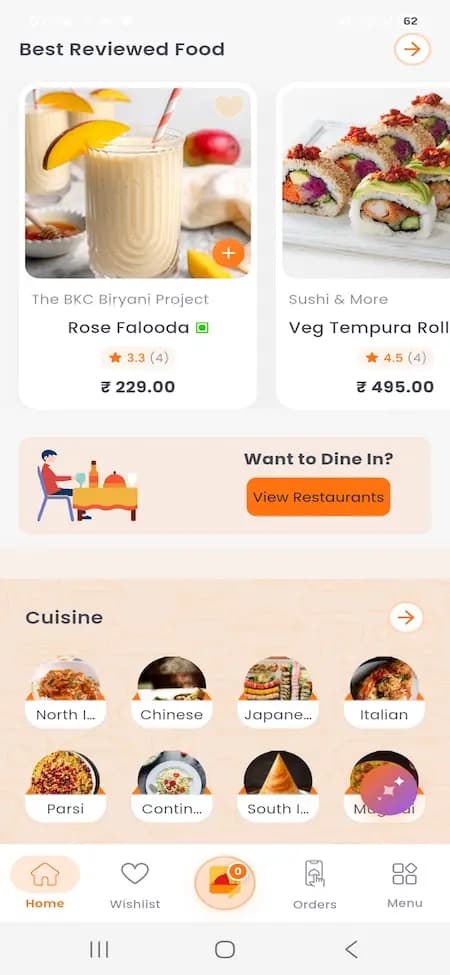
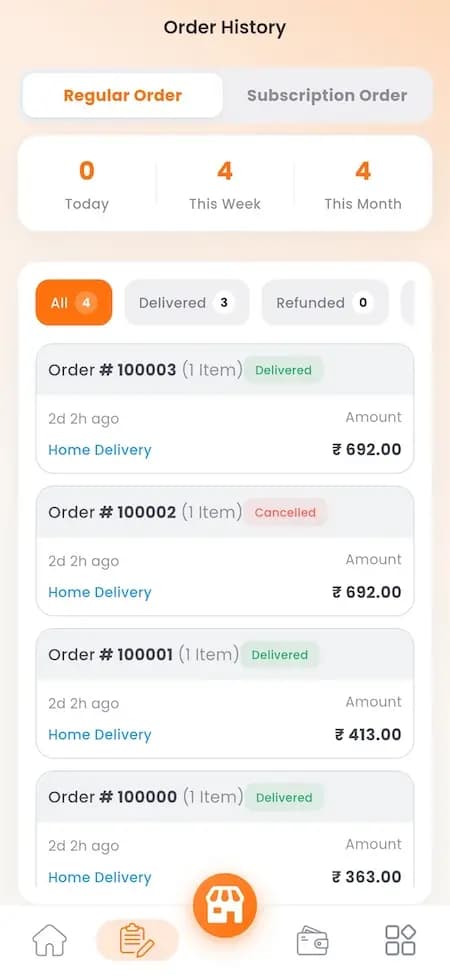
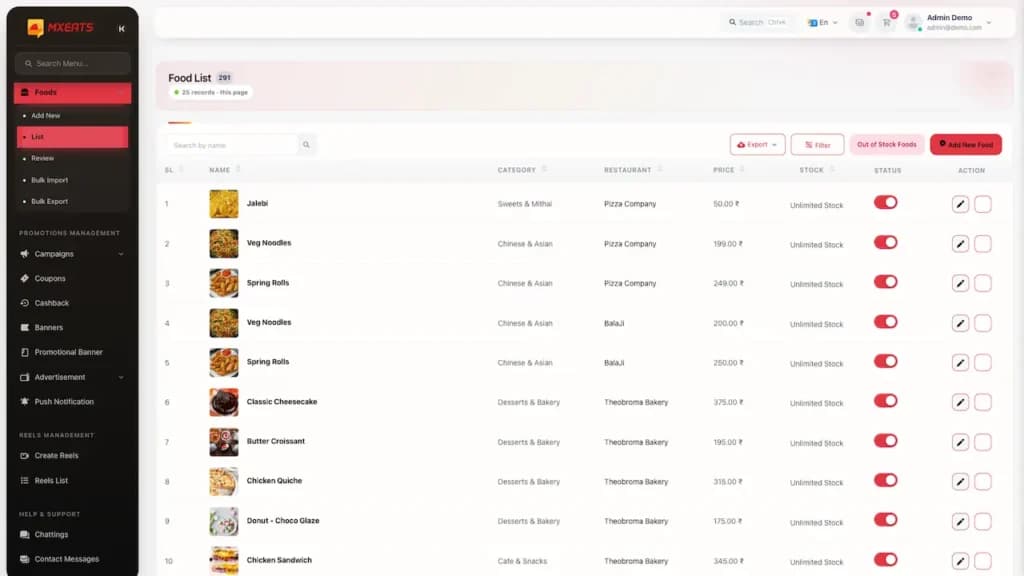
Show food discovery screens, restaurant partner panel, rider app, and city operations dashboard with orders, zones, and SLA.
The feature breakdown for swiggy clone is organized around the core workflow: diner selects food, restaurant accepts and prepares, rider is assigned, delivery is tracked with ETA, payment is reconciled, and city operations monitors SLA, refunds, and partner performance. During discovery, these features become annotated wireframes, clickable mockups, acceptance criteria, empty states, error states, permission rules, event tracking, and QA cases.
Core features include Cuisine and restaurant ranking, Restaurant acceptance flow, Zone-based delivery workflow, Coupon and membership engine. These are not decorative cards. Each feature affects the database, APIs, roles, notifications, admin views, support policies, analytics, and future roadmap. That is why we scope feature behavior before writing production code.
Architecture and tech stack diagram
The architecture diagram for swiggy clone should show six layers: experience layer, API layer, workflow layer, data layer, integration layer, and operations layer. The experience layer includes role-specific apps and portals. The API layer controls authentication, permissions, business rules, and third-party communication. The workflow layer handles catalogs, booking or ordering, availability, dispatch, tracking, substitutions, payments, refunds, ratings, and operational reporting. The data layer stores users, records, transactions, states, events, and audit history.
A practical stack for this solution can include React Native or Flutter apps, Next.js merchant/admin portals, Node.js APIs, PostgreSQL, Redis jobs, Maps and routing, Payment gateway, Cloud storage and analytics. We usually recommend a modular backend for MVPs instead of premature microservices. The system should still isolate identity, permissions, transactions, notifications, admin actions, media, analytics, and payments so scale work does not require a rewrite.
User roles and workflows
The important roles for this solution are Diner: Discover and order meals; Restaurant partner: Manage food operations; Delivery partner: Handle pickup and drop; City admin: Manage zones and supply. Each role needs its own permissions, navigation, state visibility, notification rules, and support context. A buyer, rider, seller, host, courier, creator, provider, or admin should never see the same product from a generic template lens.
The workflow we plan first is diner selects food, restaurant accepts and prepares, rider is assigned, delivery is tracked with ETA, payment is reconciled, and city operations monitors SLA, refunds, and partner performance. That workflow becomes the backbone for screens, APIs, permissions, notifications, admin actions, QA cases, and analytics. If the workflow is unclear, the interface can look polished while failing under real usage.