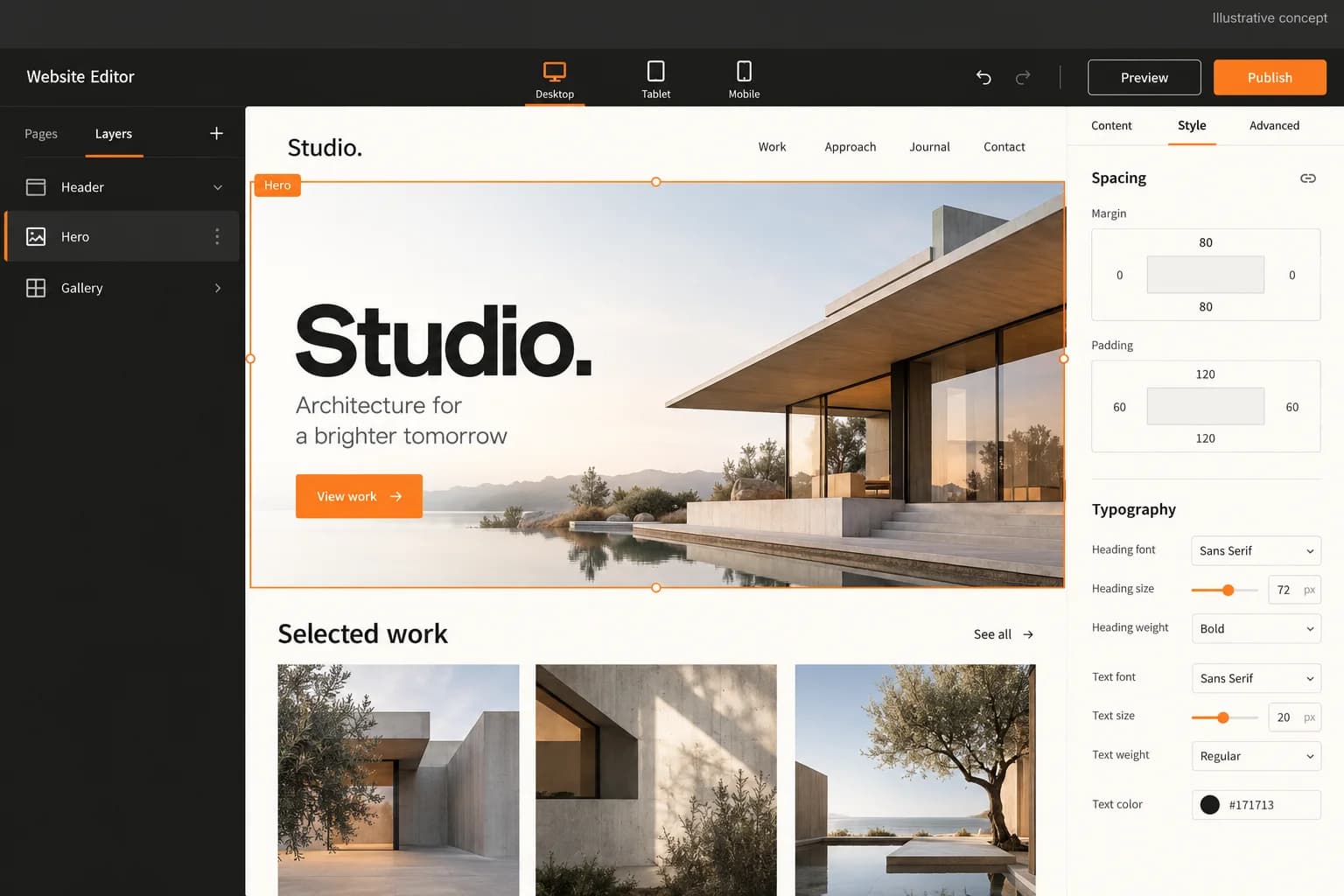
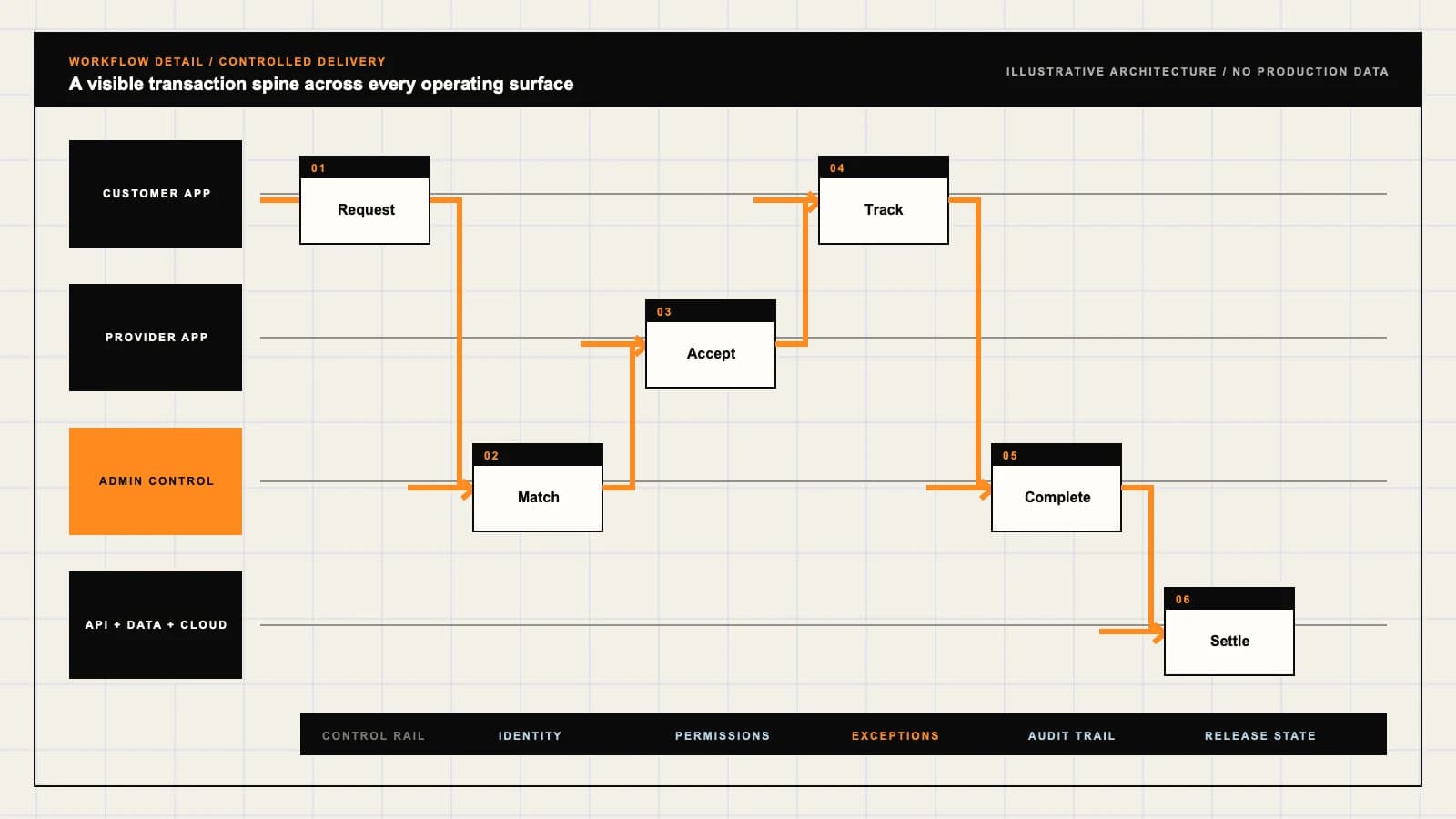
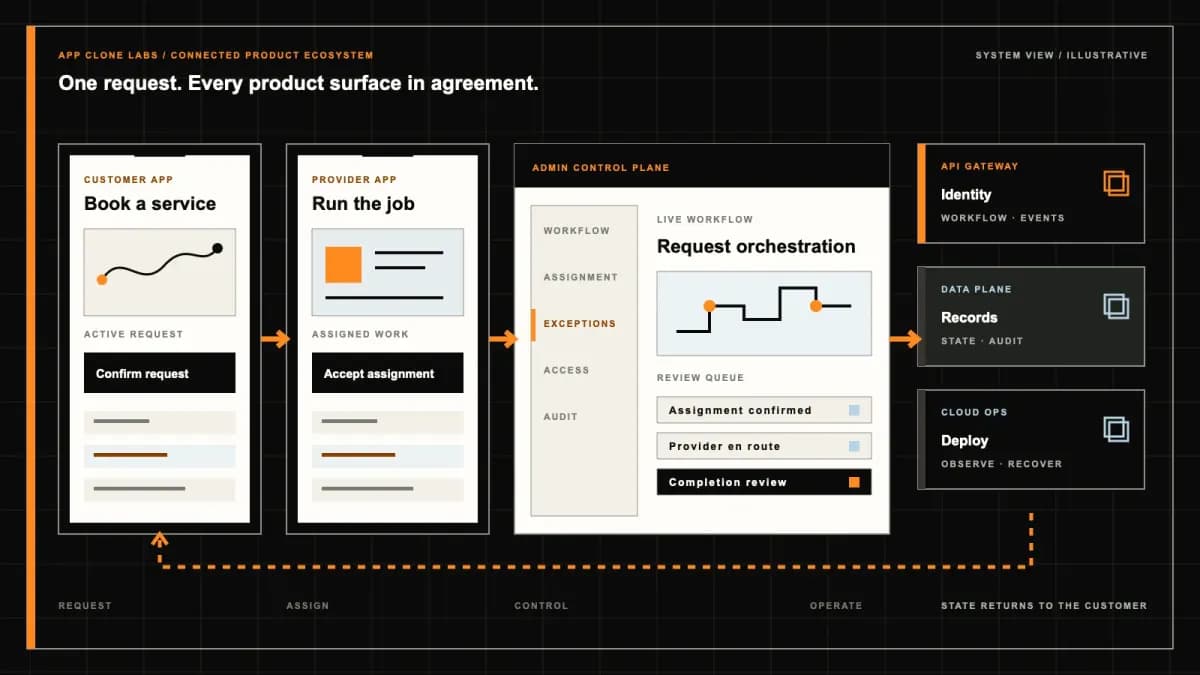
A polished preview is not a published business site
A photographer approves a portfolio on a laptop, then opens the custom domain on a phone. The old headline remains visible, the contact form has nowhere to send inquiries and a large image hides the booking link. The editor looked complete, but the publishing and operating loop did not. A useful design-led builder connects composition, review, domain publication and the business action that a visitor should complete.
A Squarespace-style build is an independently branded, template-led website workspace for creative professionals and small organizations. The reference identifies a category; it does not include Squarespace affiliation, proprietary code, templates, customer accounts or provider contracts. Define a portfolio or small business site that can be demonstrated from content entry to a verified public revision. Name the owner who approves publication and the staff member who handles an inquiry before extending the brief into every possible business module.
Choose a design-led publishing brief before an extension ecosystem
Start with the pages a visitor needs: work samples, a clear service description, owner information and an inquiry or booking route. Specify navigation, content ownership and the editorial tasks that should be possible without redesigning the site. A constrained set of licensed sections can make publication easier when the intended site has a consistent visual system. Decide which layout controls editors may change and which belong to a designer.
Compare the Wix-style extensible website builder if the requirement depends on third-party applications, custom code and broader business data composition. This brief concentrates on coherent templates, content editing and controlled publication. Extensions can follow after their permissions and failure ownership are defined. Neither a large template count nor an app marketplace substitutes for a clear first publishing workflow that the intended owner can operate.
Keep template structure, page content and theme settings distinct
A template should provide a licensed structural starting point. Page content supplies the actual text, media and links; theme settings govern shared typography, colors and spacing. Keep those responsibilities inspectable so changing a font does not rewrite content, and editing one project does not unexpectedly alter every portfolio page. Agree what happens when a reusable section is updated after several pages have adopted it.
Preview template changes against realistic material, including a long title, portrait image, empty section and several navigation items. Preserve content when switching supported layouts, and explicitly identify fields or blocks that cannot transfer. Record licenses for fonts, photographs, templates and contributed assets with their allowed uses. A reference brand’s public design is research context, not permission to redistribute its proprietary assets. Give the owner a clear inventory of supplied, licensed and customer-provided material at handover.
Responsive editing needs evidence from the published revision
An editor’s narrow-screen preview should show actual content rather than ideal placeholder lengths. Define how columns stack, images crop and navigation changes at the agreed widths. Keep reading order meaningful when a visual arrangement changes. Test zoom, keyboard navigation, focus visibility, contrast and image alternatives. A page can look balanced while its inquiry form remains unusable for someone navigating without a mouse.
Separate saved draft state, preview state and the revision served publicly. Provide an authenticated review route for unpublished content and check access boundaries. After publication, inspect the public page on the agreed browsers and devices, including cache behavior and missing media. The interface should expose pending or failed publication rather than call a draft live. Keep approval evidence tied to the revision tested, so a designer can explain which changes reached visitors and which still await review.
Custom domains require ownership and deliberate DNS changes
Name the domain registrant, registrar account owner and person authorized to change DNS. A website editor should not automatically gain those credentials. Capture the existing settings needed to preserve email and other services, then review the proposed records with the domain administrator. Distinguish connecting a domain from transferring its registration, and agree who handles expiry, renewals and future changes.
The Squarespace third-party domain guide describes connecting a domain while keeping registration with its original provider and requiring DNS access. Use that distinction to make ownership and permissions concrete in an independent build. Show verification, routing and pending connection states separately. A DNS change may take time to become visible across resolvers; do not promise that pressing publish immediately moves every visitor to the new site. Verify the public result before declaring domain readiness complete.
TLS, canonicals and redirects belong in release acceptance
Choose one primary public domain and explain how alternate hostnames resolve to it. Verify certificate issuance and renewal responsibility, HTTPS behavior and mixed-content failures. A domain resolving successfully does not by itself prove a usable TLS connection. Keep pending certificate setup visible and assign an owner for renewal or provider errors. Check that embedded media and forms work under the final domain.
Set a canonical URL for each indexable page, with intentional handling for previews and unpublished routes. Map changed paths to direct redirects and inspect missing destinations, loops and chains. A portfolio rename should not leave previously shared links pointing at an unrelated page. Confirm sitemap entries reflect the published state and review metadata with the actual content. These checks establish coherent publication evidence; they do not guarantee search rankings or that a search engine will immediately replace an old result.
Submit a synthetic inquiry through the public form and inspect its stored record, notification and access permissions. Validate fields at the boundary, limit abuse and tell the visitor what happens when submission fails. A success banner should follow a durable outcome, not merely an attempted email notification. Keep a restricted queue for failed notifications so staff can recover inquiries without asking visitors to repeat them unnecessarily.
Agree who can view and export inquiry data, how long it remains and which external service receives it. Keep analytics and embedded tools within the approved tracking and privacy choices for the intended market. Show the owner which integrations are connected and the data each receives. Revoked access or blocked embeds need a visible operating response. Use synthetic visitors in demonstrations and avoid exposing production inquiries as convenient proof that a reference form works.