
01V1
Public website
Locations, spaces, amenities, gallery, blog and tour booking, in several languages.
Solutions · Coworking and flexible offices
A coworking operator sells time and space: a desk for a day, a private office for a year, a meeting room for an hour. The app has to show what is free at each location, let members and visitors book it, turn tours into memberships and bill everyone correctly at the end of the month. Our coworking space app, modelled on operators such as Awfis and WeWork, covers the public website with locations and spaces, booking and memberships for members, and the admin side for each centre. What follows is the booking cycle, the problems operators hit as they add locations, and what to launch with.
Try the live demo See product screens and demo accessSeveral locations and space types
Tours, bookings and memberships
Multilingual website and admin panel
V1
Locations, spaces, amenities, gallery, blog and tour booking, in several languages.
Bookings, room credits, guests, requests and invoices.
One calendar for desks, rooms and offices across every location.
Locations, spaces, prices, memberships, leads, invoices and reports.
Operating loop
They browse locations and space types, such as hot desks, dedicated desks, private cabins, meeting rooms, event spaces and virtual offices, with photos, amenities and prices.
Short bookings, such as a day pass or a meeting room, are paid online. Longer agreements usually start with a tour, which the sales team follows up.
Members book meeting rooms against their credits, register guests, raise requests and see their invoices in their account.
Recurring memberships are invoiced each month, extras such as additional room hours are added, and the admin sees occupancy and revenue by location.
Roles
Comparing spaces and prices. Wants clear photos, real availability and an easy way to book a tour or a day pass.
A freelancer or company team. Wants to book rooms quickly, bring guests, get help when something breaks and receive one clear invoice.
Run tours, check members in, handle requests and keep the spaces ready.
Manages locations, spaces, prices, memberships, content, invoices and reports across every centre.
Hard parts
A meeting room booked twice or a desk sold to two companies damages trust fast. Every booking, from the website, the app or the front desk, must check the same calendar.
Day passes, monthly desks, annual offices, room credits, deposits and discounts all coexist. Model them carefully so invoices are right without manual fixes.
Most revenue comes from teams that tour first. Track every enquiry and tour so sales can follow up, and keep the proposal and contract steps in the same system.
Doors, Wi-Fi and printers often need member credentials. Plan whether to connect access control systems or issue codes, and how guest visits are logged.
Each new centre brings its own spaces, prices, staff and sometimes currency and language. Set these per location from the start rather than hard-coding the first one.
Operator controls
Centres, floors, space types, capacities, photos, amenities and opening hours.
Day passes, monthly and annual plans, room credits, deposits and discounts.
Enquiries, scheduled tours, follow-ups and conversions.
Recurring invoices, payments, occupancy and revenue by location.
Revenue
Monthly fees for desks and private offices, usually the bulk of income.
Hourly and daily bookings for meeting rooms, event spaces and drop-in desks.
Business addresses, mail handling, printing and other extras.
Later
Room booking, check-in and requests on the phone once the web version is in use.
Door and Wi-Fi access linked to membership status.
Listing partner spaces alongside your own, with commission on bookings.
Next decision
See how coworking compares with holiday rentals, co-living and other space booking platforms.
Open registerFor furnished rooms and shared homes on monthly terms, the Habyt-style co-living model is closer.
Open registerIf guests book nights rather than desks, start from the Airbnb-style rental marketplace.
Open registerOur real estate app development service covers listings, tenant apps and operations tools.
Open registerLive demo
Open each app or panel in a new tab and sign in with the demo login shown. The demos run on shared sample data, carry our demo product names, and show the ready-made product before any customization.
Website and Member Area
Use this original space-discovery concept to scope the visitor side of a coworking platform. It is not Awfis or WeWork UI and shows no real locations, prices or occupancy.
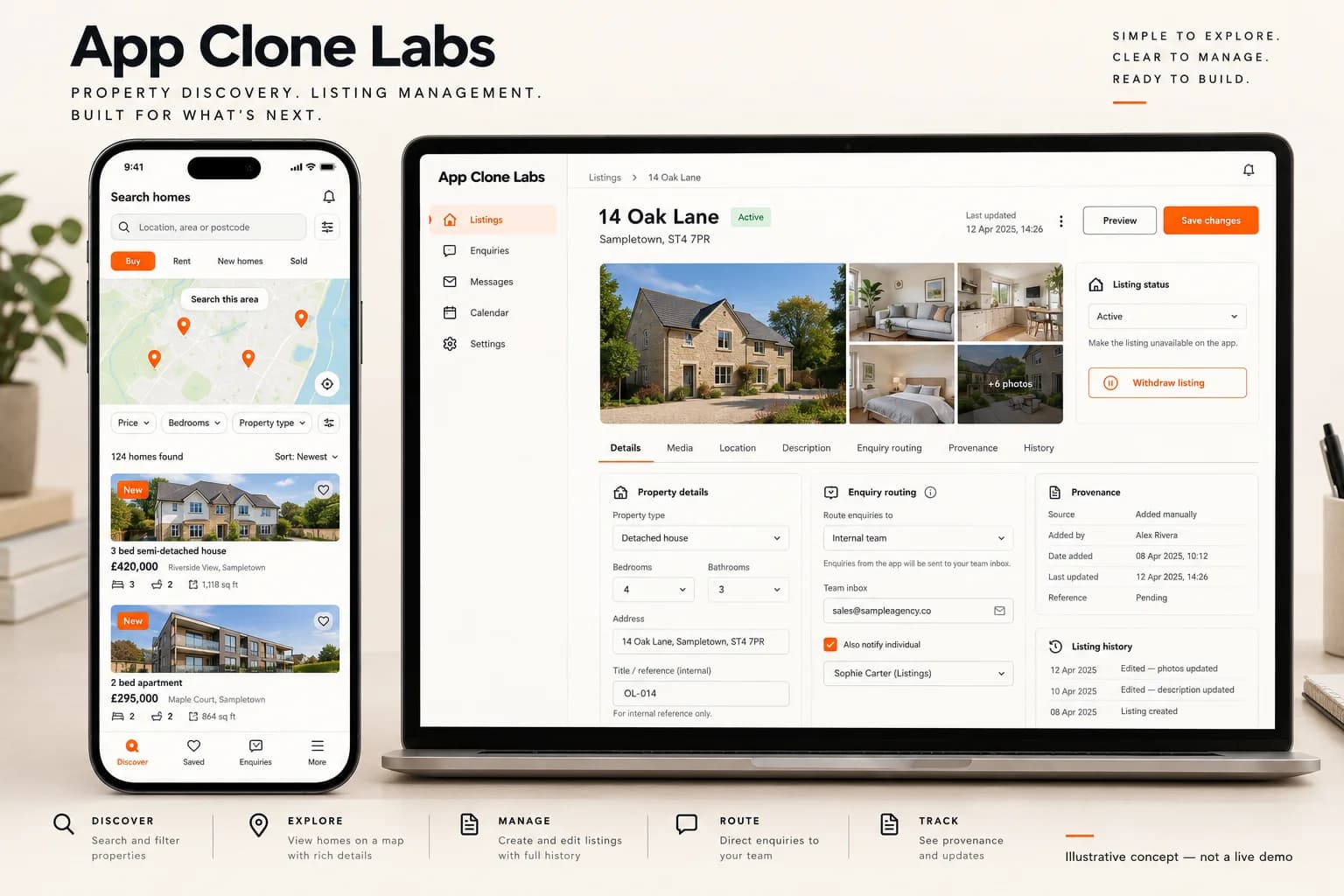
Original space-discovery concept. Listings, prices and availability are illustrative and do not represent real centres, members or bookings.
What to check in the walkthrough
A coworking centre has a fixed rent and a fixed number of desks. Every empty desk is lost money, so the software should make it obvious, location by location, what is free, what is about to come free and which leads might fill it.
Build the reports around occupancy and lead follow-up first. Everything else is secondary.
You get a working coworking product with the website, member account, booking engine and admin panel, and you can walk through the demo before deciding. It is set up with your locations and branding, and the unencrypted source is handed over.
Access control, accounting software and payment providers vary by operator. We agree which ones to connect and add them during the project.
Large teams rarely sign without visiting. Put a tour button on every space page, confirm the time instantly and remind both the visitor and the staff member the day before.
FAQ
Software for coworking operators to show their locations and spaces, take bookings for desks, offices and meeting rooms, sell memberships, invoice members and manage each centre.
Yes. Each location has its own spaces, prices, staff and opening hours, and reports can be viewed per centre or across all of them.
Yes. Memberships can include room credits, and bookings beyond them are charged and added to the next invoice.
The demo runs in several languages, and more can be added for the markets you operate in.
Yes. The website, member account and admin panel come as unencrypted source, so your team can host and extend them.
Primary sources
Dated official documentation, standards, and research that support the factual claims on this page.
A large Indian flexible workspace operator whose model this product follows.
The best-known global coworking brand, useful for comparing space types and plans.
EU data protection rules that apply to member and visitor records.
How to read this page
Scope, cost and timeline figures are planning guidance until confirmed in a written proposal. Diagrams and screens are illustrations, not client deliverables, and source-code rights and handover follow the signed agreement. See the delivery process and the full disclaimer.
Next decision
Define outcomes, constraints, evidence, rights and handover before delivery begins.
Commercial rights, repositories, environments, documentation, acceptance and handover remain contract-defined.
