01V1
Branded customer app
Menus, cart, checkout, delivery or pickup, tracking, ratings and reorder on iOS, Android and web.
Solutions · White-label food delivery
A white label food delivery app is ready-made ordering and delivery software that goes out under your name, in your app store listings, with your menus, prices and colours. It suits two kinds of buyer: an operator launching a local delivery marketplace for many restaurants, and a restaurant or chain that wants its own app instead of paying commission on every marketplace order. This page covers both, and where they differ.
Professional plan. Enterprise customization is quoted on scope.
Customer, restaurant, courier and admin apps
Published under your own app store accounts
Marketplace or single-brand set-up
V1
Menus, cart, checkout, delivery or pickup, tracking, ratings and reorder on iOS, Android and web.
Order acceptance with prep times, stock switches, courier offers, navigation and proof of delivery.
Restaurants or branches, zones, fees, promotions, refunds, payouts and daily reports.
Card and local payment methods, cash on delivery where needed, restaurant and courier payouts.
Operating loop
Your name, logo, colours, domain and store listings go into the apps. For a marketplace you add restaurants; for a single brand you add your branches, each with its own menu, hours and delivery area.
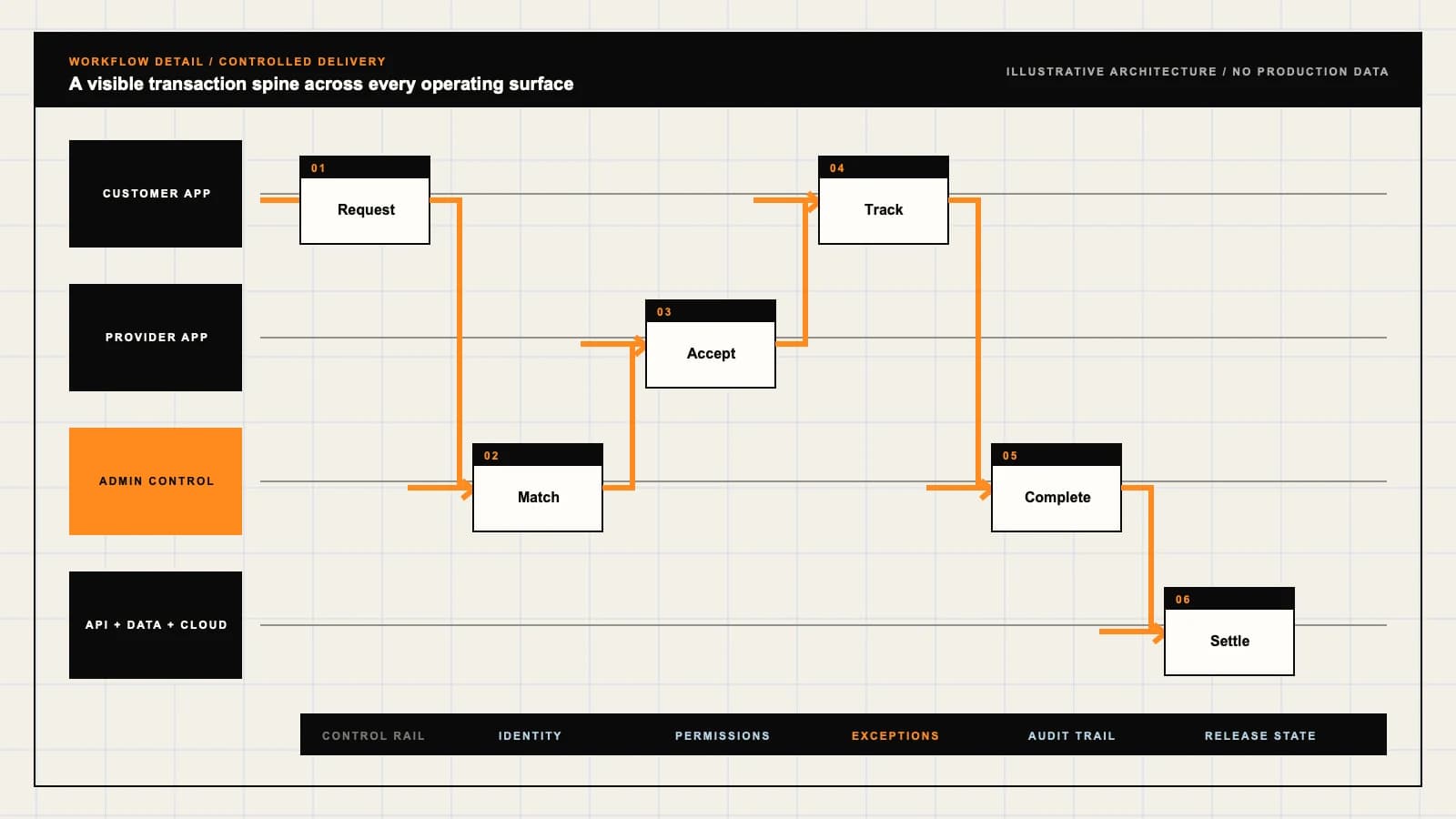
The customer browses menus, picks options and add-ons, chooses delivery or pickup and pays in the app. They see the full price, fees included, and an estimated arrival time before they confirm.
The order arrives on the restaurant tablet or POS with a prep time. A courier is assigned to arrive as the food is ready, from your own riders or a delivery partner, and the customer tracks both stages.
Payments go to the operator or the restaurant, commission or fees are deducted, couriers are paid for each delivery, and refunds for missing items come out of the right party’s share.
Roles
Wants accurate menus, the full price before paying, a realistic arrival time and an easy way to report a wrong or missing item.
Accept orders, set prep times, mark items out of stock and hand food to couriers, usually on a tablet next to the till during a rush.
Receives delivery offers, navigates to the restaurant and the customer, confirms handover and sees earnings per trip.
Runs the admin console: restaurants or branches, delivery zones, fees, promotions, refunds, payouts and reports.
Hard parts
A marketplace needs restaurant onboarding, commission rules and a search across many menus. A single brand needs one menu shared across branches with local prices and stock. Decide which you are building first, because it changes the data model, the admin and the app store listing.
Apple rejects apps built from a template or app generation service unless they are submitted by the business that provides the content. White label apps must go out under your own Apple and Google developer accounts, with your own name, screenshots and descriptions.
Options, modifiers, combos, allergens and items that sell out mid-service all have to be right, or orders fail at the pass. Sync menus from the POS where possible and let staff switch items off in one tap.
You can run your own riders, let restaurants deliver, or book couriers from delivery-as-a-service providers. Many launches mix them. Each option changes tracking, fees, insurance and who handles a late order.
A courier who arrives too early waits unpaid; one who arrives late leaves food going cold. Base courier assignment on the kitchen’s prep estimate and learn real prep times per restaurant and per hour.
Operator controls
Add restaurants or branches, menus, opening hours, delivery areas and minimum orders, with menu inheritance for chains.
Delivery fees by distance or zone, service fees, small-order fees and commission rates per restaurant.
Promo codes, free delivery offers and points, with budgets, end dates and who pays for each discount.
Missing items, wrong orders and late deliveries, with evidence, refunds and the share charged to the restaurant or courier.
Revenue
For a marketplace: a percentage of each order from the restaurant, often lower than large marketplaces to win restaurants.
Fees paid by the customer per order, by distance, basket size or time of day.
For a restaurant brand: orders that skip marketplace commission, plus loyalty that brings customers back to your own app.
Later
Two-way menu and order sync with each POS your restaurants use; add the common ones once order volume justifies it.
Booking couriers from delivery-as-a-service providers fills gaps at peak; add it when your own fleet cannot cover demand.
Adding groceries or convenience stores to the same app brings picking and substitutions; add them as a separate category.
Next decision
See how a restaurant marketplace, a single-brand ordering app and quick-commerce kitchens differ.
Open registerIf you want the full marketplace model with your own branding, the food delivery app clone sets out every app and rule.
Open registerOur food delivery app development guide covers dispatch, restaurants, couriers, menus and cost.
Open registerCompare starting from a white label base with designing every workflow from scratch.
Open registerOur food delivery app development service sets out how we deliver and hand over the apps.
Open registerLive demo
Open each app or panel in a new tab and sign in with the demo login shown. The demos run on shared sample data, carry our demo product names, and show the ready-made product before any customization.
Customer Side
user@demo.com | User_321Restaurant Panel
restaurant@demo.com | Restaurant_$321Owner Back Office
admin@demo.com | Admin_$321Android Builds
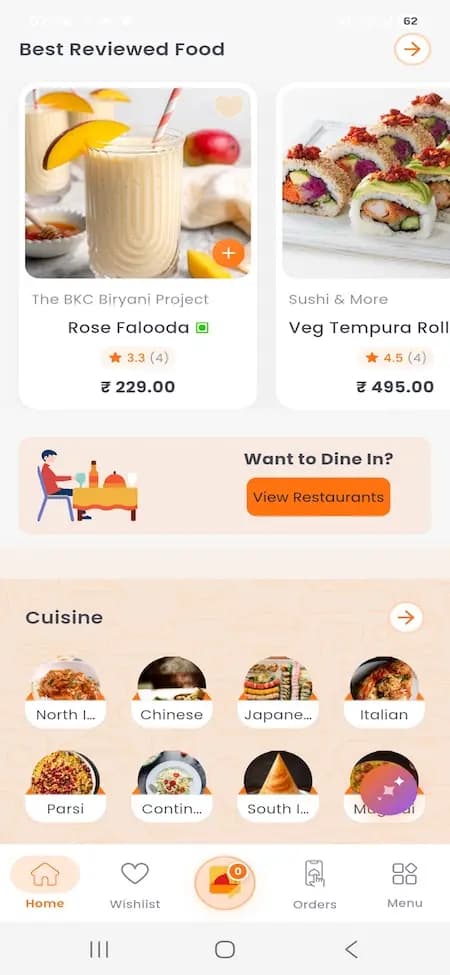
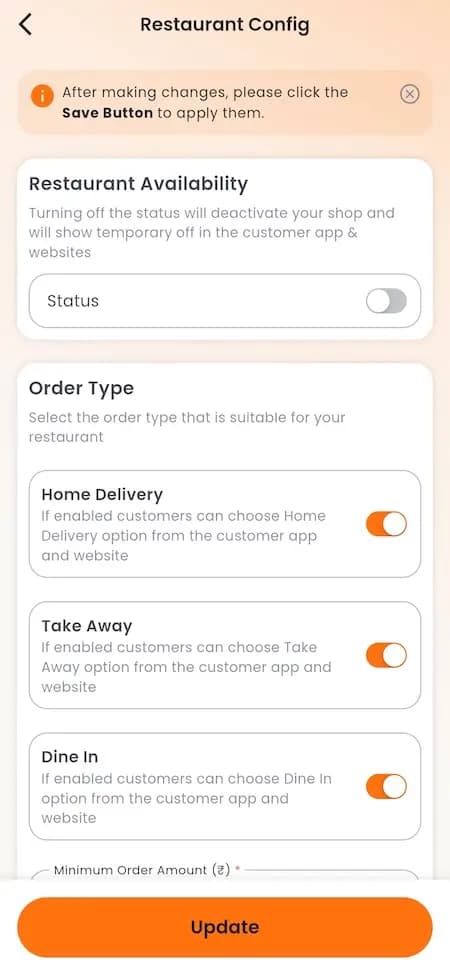
delivery1@demo.com / +919876543201 | Delivery_$321A branded ordering app is only one part of the system. Use these food-delivery references to plan what customers see, how restaurants handle orders, and what your team needs to govern across brands and locations. Confirm the current demo and supported scope in a guided walkthrough.
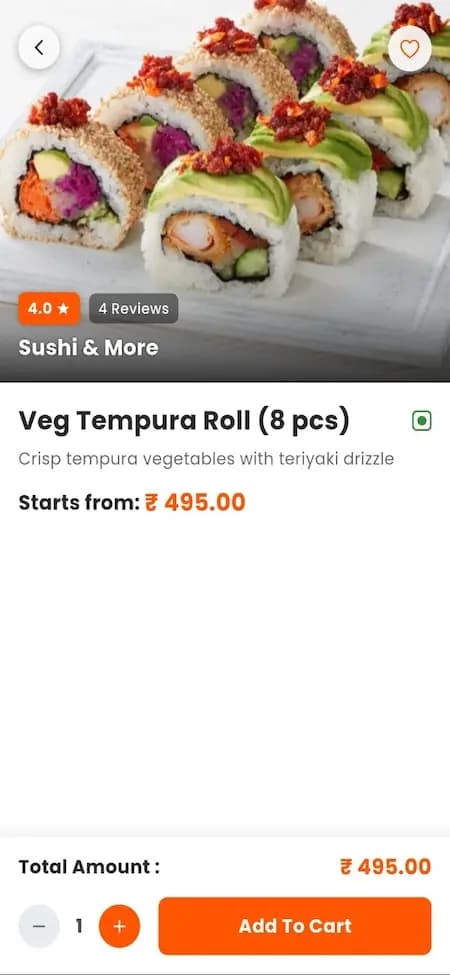
Customer item-selection reference. Prices, ratings, restaurant names and food photography are sample demo content, not current offers, client endorsements or an included catalogue. Checkout and fulfilment are not established by this screen.
What to check in the walkthrough
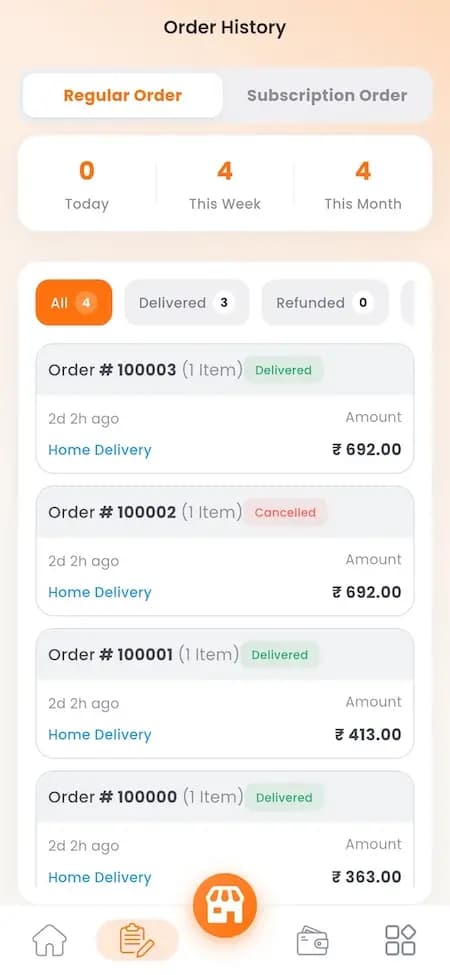
Restaurant order-history reference. Order numbers, totals, dates and statuses are demonstration records; this image does not establish refund execution, settlement or reconciliation.
What to check in the walkthrough
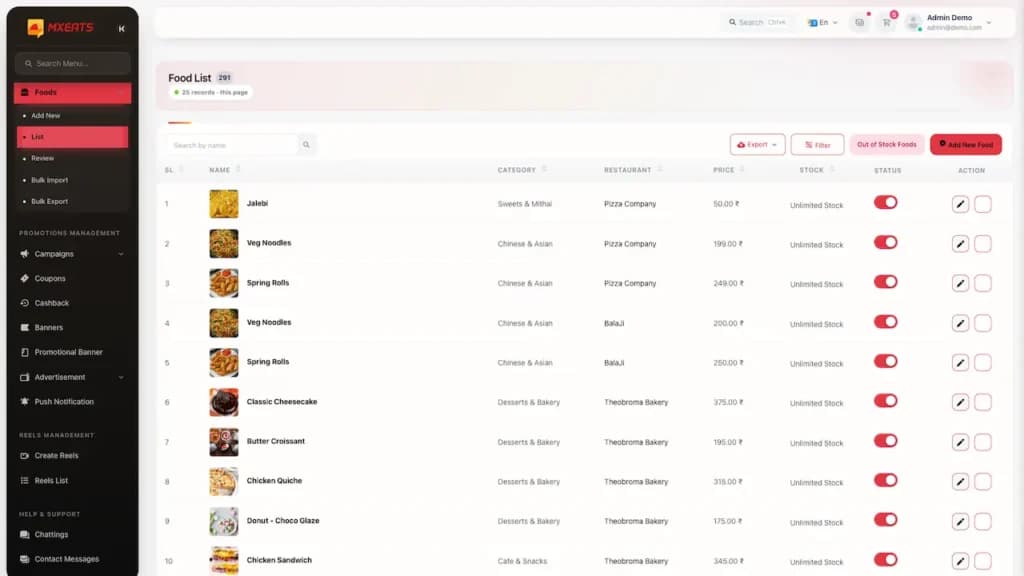
Admin reference: review the food catalogue and manage its entries. Sample data does not demonstrate a live client deployment.
What to check in the walkthrough
Artifact register
Reference screens illustrate workflows, not a contracted feature list. Sample prices, data, and responses are demonstration content; confirm the current scope during a walkthrough.
Large marketplaces bring customers but take a large commission on every order and keep the customer relationship. A branded app lets a restaurant group take direct orders, run its own loyalty and keep the customer data, while still listing on marketplaces for discovery.
The catch is marketing: customers have to find and install your app. Restaurants that succeed with their own app promote it in-store, on packaging and in marketplace order bags, and reward direct orders with lower prices or points.
In many cities large marketplaces are absent, expensive or slow to serve smaller towns. A local operator who knows the restaurants can launch a branded marketplace with lower commission, local payment methods and support in the local language.
Supply comes first: sign restaurants and couriers in one area, make sure menus and prep times are accurate, and only then spend on customer marketing.
Many white label products are rented by the month or charge a fee on every order, which grows as you grow. Owning the source code costs more upfront but removes that fee and lets you change the product as your market demands.
Ask any provider who owns the code, the servers, the store accounts and the customer data before you sign, and what happens if you stop paying.
FAQ
Ready-made food ordering and delivery software that is rebranded and published as your own: your name, logo, colours, menus and prices, in app store listings under your accounts. The customer never sees the software provider.
Our white label food delivery app starts from $2,799 one-time on the Professional plan, delivered in 6 to 9 days with customer, restaurant, courier and admin apps and full unencrypted source code. POS integrations, extra markets or custom dispatch rules are quoted on scope.
Either. A marketplace lists many restaurants and earns commission; a single brand runs its own branches and keeps orders free of marketplace commission. The same apps are set up differently for each.
Yes. The apps are published to your own Apple and Google developer accounts, which Apple requires for apps built from a template, so the store listing, reviews and customer data are yours.
Yes. You receive the full unencrypted source code and can host it on your own servers, change it or hire another team to extend it.
Primary sources
Dated official documentation, standards, and research that support the factual claims on this page.
Section 4.2.6 on apps created from commercial templates or app generation services.
An example of booking third-party couriers for orders from your own app.
Card data standards that apply to in-app payments.
How to read this page
Scope, cost and timeline figures are planning guidance until confirmed in a written proposal. Diagrams and screens are illustrations, not client deliverables, and source-code rights and handover follow the signed agreement. See the delivery process and the full disclaimer.
Next decision
Define outcomes, constraints, evidence, rights and handover before delivery begins.
Commercial rights, repositories, environments, documentation, acceptance and handover remain contract-defined.
