01V1
Browser extension
Create and import, multiple accounts, send and receive, dapp connections and signing, for Chrome and Edge.
Solutions · Self-custody wallets
A self-custody wallet keeps the user’s keys on the user’s device. The company behind it never holds the funds and cannot move them, which changes almost everything about how the product is built and supported. A MetaMask clone gives you that kind of wallet under your own brand: a browser extension and a mobile app that create or import a wallet, hold tokens and NFTs across several networks, and connect to decentralised apps so the user can sign transactions. Below: the user journey, the risks that sink wallet launches and a sensible first release.
Try the live demo See product screens and demo accessBrowser extension plus Android and iOS apps
Keys encrypted on the user’s device
Connects to dapps across EVM networks
V1
Create and import, multiple accounts, send and receive, dapp connections and signing, for Chrome and Edge.
The same wallet on Android and iOS with biometrics and an in-app browser for dapps.
Ethereum and a few other EVM networks, token and NFT balances, transaction history.
Networks, token lists, partner services, safety lists and app releases.
Operating loop
The app generates a recovery phrase, asks the user to write it down and confirm it, then encrypts the keys on the device behind a password or biometrics. Importing an existing phrase restores the same accounts.
Balances for tokens and NFTs are read from each network the user adds. Sending shows the network fee before the user signs, and every transaction is tracked until it is confirmed on chain.
A dapp asks to connect, and the wallet shows which site is asking and what it wants. Every signature or transaction request is decoded into plain language so the user knows what they are approving.
Buying with a card goes through a licensed on-ramp partner, and swaps and staking go through third-party protocols. The wallet shows the route, the fees and who provides each service before the user confirms.
Roles
Wants to hold crypto without trusting an exchange. Needs a clear setup, warnings before anything risky and an obvious way to recover the wallet on a new device.
Wants the wallet to follow the standard connection and signing interfaces so their app works with it without special code.
Helps users who are stuck, without ever asking for a recovery phrase. Needs public transaction data and in-app guides, because the company cannot see or recover anyone’s keys.
Manages supported networks, token lists, partner services for buying and swapping, phishing blocklists and app releases.
Hard parts
The recovery phrase and private keys must be generated with secure randomness, encrypted on the device, kept out of logs, screenshots and backups, and never sent to a server. Have the key handling reviewed by an independent security firm before launch.
Most wallet thefts happen when a user signs something they did not understand, such as an approval that lets a contract spend all their tokens. Decode requests, simulate the result where possible and warn clearly on unlimited approvals and unknown contracts.
Popular wallets are copied by scammers in browser stores and app stores. Plan for store listing monitoring, a phishing site blocklist and in-app messages that tell users support will never ask for their phrase.
Each network needs a reliable node connection for balances, fees and broadcasting. Use more than one provider, handle network outages gracefully and keep fee estimates current when networks are busy.
A purely self-custody wallet is treated differently from a custodial one in many countries, but in-app buying, swapping and staking can bring in licensing or partner obligations. Take legal advice on each feature and market.
Operator controls
Which networks appear by default, their node providers, and the token lists used to show names and logos.
On-ramp, swap and staking providers, the regions each one serves and any fee your wallet adds.
Known phishing sites, malicious contracts and warning messages shown to users.
Extension and app versions, forced updates for security fixes and store listing details.
Revenue
A small, disclosed fee added to swaps routed through the wallet.
A share of fees from card and bank purchases made through partner providers.
A disclosed commission on staking or other services offered by partners inside the wallet.
Later
Pairing with hardware wallets for users who want their keys off the phone or computer.
Account abstraction for social recovery, gas paid in tokens and batched actions, once the basics are stable.
Networks such as Solana or Bitcoin need different key formats and signing, so add them as separate work.
Next decision
See how a wallet sits next to exchanges, NFT marketplaces, launchpads and DeFi apps.
Open registerIf users come to trade tokens and provide liquidity rather than store them, start from the decentralised exchange model.
Open registerIf you want to hold customer funds and match orders yourself, an exchange with custody and KYC is a different build.
Open registerOur crypto wallet development service covers custom key management, embedded wallets and security reviews.
Open registerLive demo
Open each app or panel in a new tab and sign in with the demo login shown. The demos run on shared sample data, carry our demo product names, and show the ready-made product before any customization.
Wallet Website
Wallet App
Use this original review-queue concept to scope the admin and support side of a wallet business. It is not MetaMask UI, and the wallet operator never holds or moves user funds.
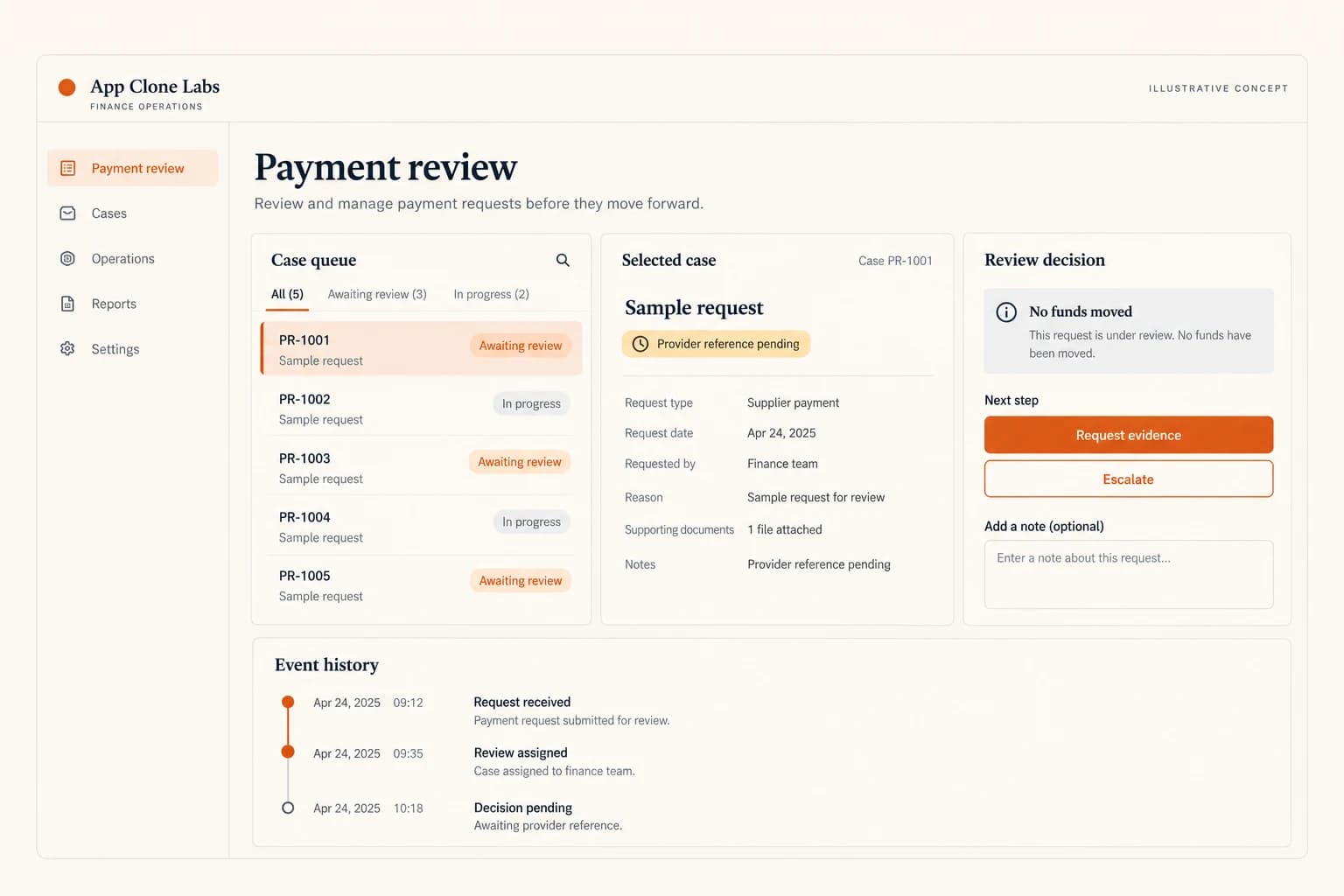
Original review-queue concept. Cases and statuses are illustrative and do not show real users, balances, transactions or partner integrations.
What to check in the walkthrough
People pick a self-custody wallet because they do not want to trust a company with their money, and then they have to trust the wallet software completely. Every screen that asks for a signature is a moment where they can lose everything.
The wallets that keep users are the ones that explain each request plainly, warn before risky approvals and never surprise anyone with hidden fees.
Our base product already includes the extension, mobile app and admin console, and the demo lets you install and try it before you decide. We rebrand it, prepare the store listings with you and hand over the complete unencrypted source.
On-ramp, swap and staking partners depend on your markets. We help choose them, connect them on the same codebase and arrange an independent security review of the key handling.
Users will lose recovery phrases and fall for phishing sites, and you will not be able to reverse either. Write the help guides, warnings and support scripts before the first release, and make it impossible for anyone on your team to ask for a phrase.
FAQ
A self-custody crypto wallet in the style of MetaMask, delivered as a browser extension and mobile app under your brand. Users hold their own keys, manage tokens and NFTs, and connect to decentralised apps.
No. In a self-custody wallet the keys stay encrypted on the user’s device, so neither you nor we can move funds or restore a lost recovery phrase. Support has to be built around that.
Ethereum and other EVM-compatible networks, which share one key format. Networks with different key formats can be added as separate work.
Yes, under your developer accounts. Store reviews for crypto wallets can take longer and may ask for information about your company and features, so allow time for them.
It is. The extension, mobile apps and admin console are handed over as unencrypted source, so your own auditors and developers can review, change and ship them.
Primary sources
Dated official documentation, standards, and research that support the factual claims on this page.
The standard interface wallets expose so dapps can connect and request signatures.
The specification for the recovery phrases most wallets use.
International guidance on when wallet and exchange providers count as virtual asset service providers.
How to read this page
Scope, cost and timeline figures are planning guidance until confirmed in a written proposal. Diagrams and screens are illustrations, not client deliverables, and source-code rights and handover follow the signed agreement. See the delivery process and the full disclaimer.
Next decision
Define outcomes, constraints, evidence, rights and handover before delivery begins.
Commercial rights, repositories, environments, documentation, acceptance and handover remain contract-defined.
